
Design Mockups: The Ultimate Guide to Visualizing Your Vision
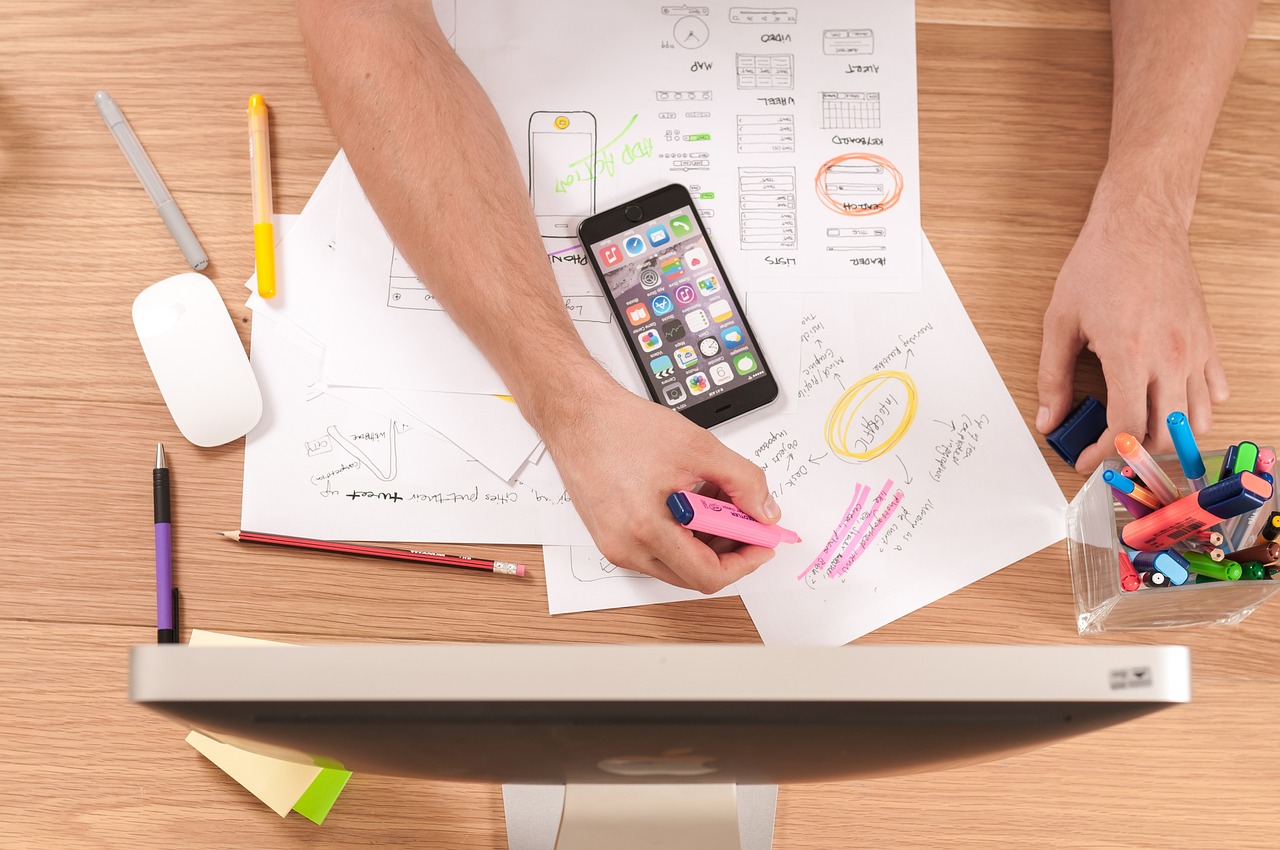
In the fast-paced world of digital product development, a shared understanding is the most valuable currency. How do you ensure that the brilliant idea in your head is the same one your designer is creating, your developer is building, and your stakeholders are funding? The answer, in large part, lies in a critical design artifact: the design mockup.
A mockup is more than just a "pretty picture" of a future website or app. It's a strategic tool, a communication bridge, and a cost-saving measure all rolled into one. It’s the moment an abstract concept puts on its visual clothes and shows you what it will feel like to interact with.
This guide will walk you through everything you need to know about design mockups. We'll cover what they are, why they're indispensable, how to create them, and how they fit into the broader design process. Whether you're a budding designer, a project manager, a developer, or a client, understanding mockups will empower you to build better products, faster.
What Exactly is a Design Mockup?
Let's start with a clear definition. A design mockup is a high-fidelity, static, visual representation of a product's user interface (UI).
Let's break that down:
- High-Fidelity: This means it’s detailed and looks very close to the final product. Unlike a simple sketch, a mockup includes specific choices for color palettes, typography, iconography, spacing, and imagery. It’s a realistic depiction of the design.
- Static: This is a key differentiator. A mockup is a non-interactive image or set of images. You can't click buttons and navigate to other pages. It’s like a photograph of the final product, not the product itself.
- Visual Representation: Its primary purpose is to communicate the look and feel of the product. It answers questions like: "What will the homepage look like?", "Is our branding coming across effectively?", and "Is the layout visually balanced and easy to scan?".
Think of it in terms of building a house. A wireframe is the architect's blueprint (showing structure and layout), a mockup is the interior designer's 3D render (showing colors, furniture, and finishes), and a prototype is a physical model or virtual tour you can walk through (simulating the interactive experience).
The Crucial Role of Mockups in the Design Process
Skipping the mockup stage is like trying to shoot a movie without a storyboard. You might end up with something, but it will likely be disjointed, expensive to fix, and far from your original vision. Here’s why mockups are non-negotiable for any serious project.
1. They Bring Ideas to Life
Words are subjective. The term "clean and modern design" can mean a dozen different things to a dozen different people. A mockup eliminates this ambiguity. It provides a concrete visual that everyone—from the CEO to the junior developer—can see and react to. This tangible representation is the first real gut-check for a project's visual direction.
2. They Facilitate Early and Inexpensive Feedback
Making a change in a design tool like Figma or Sketch is a matter of minutes. Changing a color, swapping a font, or moving a button is simple.
Now, imagine trying to make that same change after the product has been coded. It could take hours or even days of a developer's time, involving changes to CSS, HTML structure, and potentially even backend logic.
Mockups allow you to iterate on the visual design rapidly and cheaply. You can gather feedback from stakeholders, conduct user preference tests, and refine the UI until it's just right—all before a single line of code is written. This saves an immense amount of time and money down the line.
3. They Act as a Blueprint for Developers
A well-crafted set of mockups is a developer's best friend. It serves as a definitive source of truth for the entire user interface. Developers can look at a mockup and know:
- What fonts, font sizes, and line heights to use.
- The exact HEX codes for all colors.
- The pixel-perfect spacing between elements.
- The dimensions and styles of buttons, forms, and other components.
- How the layout should adapt to different screen sizes (desktop, tablet, mobile).
Modern design tools even allow developers to inspect mockups and directly extract CSS properties, making the handoff process smoother than ever.
4. They Help Secure Stakeholder Buy-In
It’s much easier to get approval and funding for a project when stakeholders can see what they’re investing in. A polished mockup is a powerful persuasive tool. It demonstrates professionalism, clarifies the product's value proposition, and builds confidence that the team has a solid, well-thought-out plan. Presenting a detailed mockup is far more effective than presenting a wireframe or just talking about an idea.
Wireframe vs. Mockup vs. Prototype: Clearing the Confusion
This is one of the most common points of confusion in the design world. While the terms are sometimes used interchangeably, they represent distinct stages with different goals. Understanding the difference is key to a smooth workflow.
Wireframe: The Skeleton
- Fidelity: Low-fidelity.
- Focus: Structure, layout, information architecture, and core functionality.
- Visuals: Typically grayscale, using simple boxes and lines to represent elements. No real colors, fonts, or images are used.
- Purpose: To plan the basic structure and determine where content and functional elements will live. It’s all about function, not form.
- Analogy: The blueprint of a house.
Mockup: The Visual Style
- Fidelity: Mid-to-High-fidelity.
- Focus: Visual design, color palette, typography, iconography, spacing, and overall aesthetic.
- Visuals: A realistic, static depiction of the final look and feel.
- Purpose: To make decisions about the visual identity of the product and get feedback on its appearance. It’s about the look and feel.
- Analogy: The interior designer's realistic 3D render.
Prototype: The Interaction
- Fidelity: Can be low or high-fidelity.
- Focus: User experience (UX), interactivity, and user flow.
- Visuals: Can range from linked wireframes to fully styled, clickable mockups.
- Purpose: To simulate how a user will interact with the product. It allows for usability testing to see if users can complete tasks successfully. It’s about the experience and flow.
- Analogy: A walkable model home or a virtual tour.
| Feature | Wireframe | Mockup | Prototype |
|---|---|---|---|
| Fidelity | Low | High | Variable (Low to High) |
| Purpose | Structure & Layout | Visual Design | Interaction & Flow |
| Interactivity | None | None | Yes |
| Visuals | Basic, grayscale | Detailed, full-color | Can be basic or detailed |
| Question It Answers | "What goes where?" | "What will it look like?" | "How does it work?" |
The Anatomy of a Great Design Mockup
Creating a mockup isn't just about making something look good; it's about making strategic design choices that serve the user and the business goals. A great mockup is a thoughtful composition of several key elements.
1. Layout and Grid System
The foundation of any good mockup is a strong grid. A grid system (like a 12-column grid for a website) provides structure, consistency, and visual rhythm. It helps align elements properly and ensures the layout feels balanced and organized, not chaotic. Consistent spacing and margins are crucial for a professional look.
2. Color Palette
Color is a powerful communication tool. Your mockup should implement the brand's color palette deliberately.
- Primary Colors: Used for major UI elements like headers and primary call-to-action buttons.
Generate by Gemini 2.5 Pro